Excel vs FMCG platform: when spreadsheets stop scaling
Excel is a strong analysis tool, but a weak system of execution. When field sales, pricing, promotions, orders and AI depend on files, the business loses control, speed and trust in data.

Excel is not the problem.
Excel is an excellent tool.
The problem starts when Excel becomes the main system for field sales, route planning, pricing, promotions, claims, orders, retail execution and management reporting.
At that point, the spreadsheet is no longer an analysis tool.
It is an informal platform without governance.
What Excel is good for
Excel is useful for:
- quick analysis;
- ad hoc report;
- financial modelling;
- scenario planning;
- export review;
- temporary calculation;
- management discussion;
- KPI prototype.
It should not be demonized.
Almost every good platform will export data to Excel at some point, because people think, compare and model there.
The question is different: is Excel a supporting analytical tool or the main operational backbone?
Where Excel starts to break
Excel becomes risky when it manages processes that require:
- many users;
- real-time data;
- mobile field input;
- audit trail;
- role-based access;
- integrations;
- workflow;
- approvals;
- issue ownership;
- version control;
- AI-ready data.
In FMCG, these conditions are daily reality.
When promotion, price list or route plan live in several files, questions appear quickly:
- which version is final;
- who changed the value;
- who approved the discount;
- which customer is an exception;
- which sales rep saw the task;
- when the photo was captured;
- why the issue was not closed;
- whether AI uses current data.
Version chaos
One of the biggest problems is version chaos.
Files are copied, renamed, sent, locally edited and merged.
For example:
promo_plan_final.xlsx;promo_plan_final_v2.xlsx;promo_plan_final_region_fix.xlsx;promo_plan_latest.xlsx;promo_plan_REAL_final.xlsx.
This is funny until it costs money.
The wrong version of a price list can create a wrong price. The wrong version of a route list can miss a customer. The wrong version of assortment can create a weak recommended order.
Excel does not create real workflow
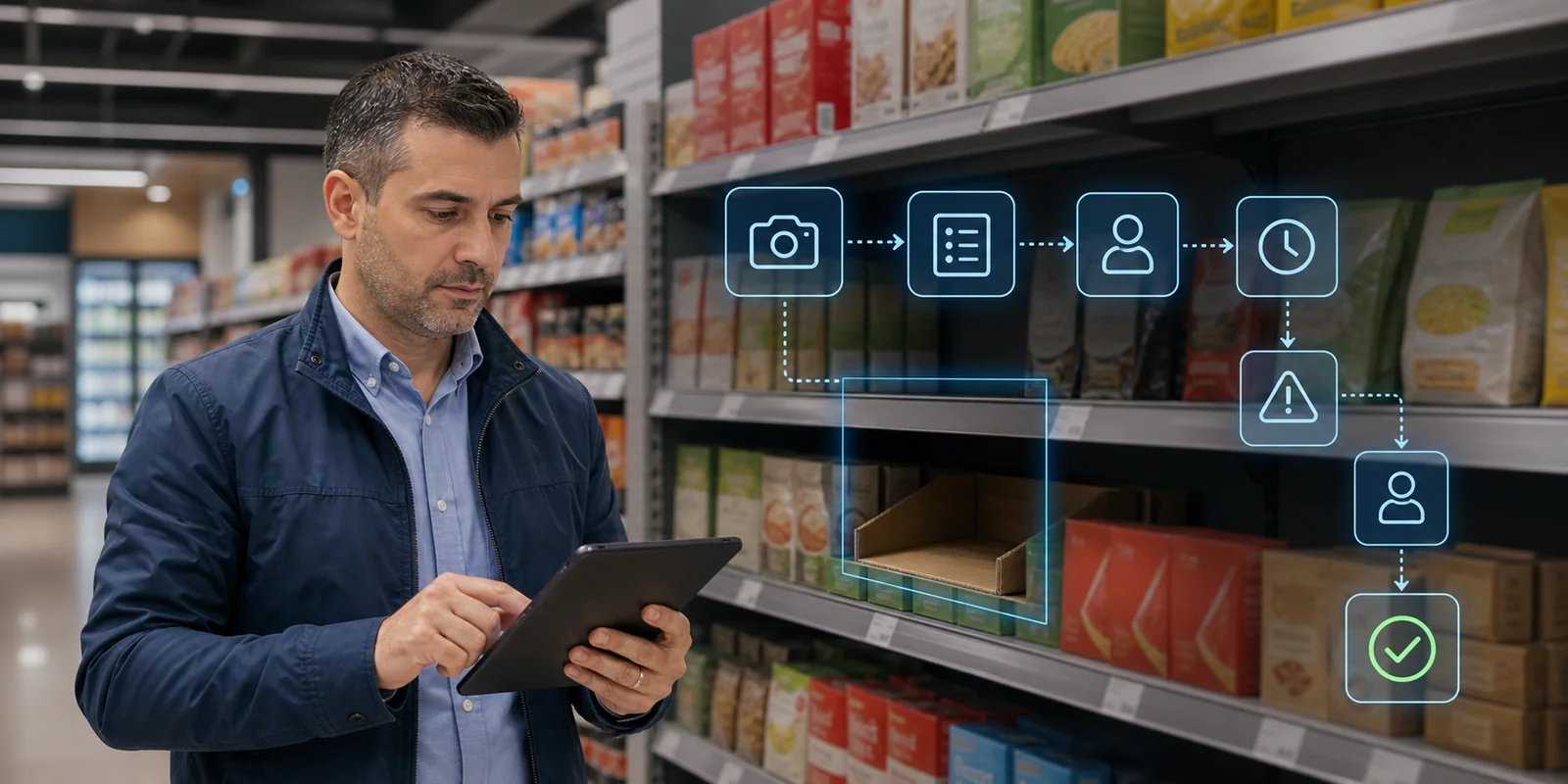
FMCG execution is workflow:
- We plan.
- We assign a task.
- The sales rep executes.
- Evidence is captured.
- A deviation is detected.
- An issue is created.
- There is an owner.
- There is a due date.
- There is closure evidence.
- There is analysis.
Excel can describe this process, but it cannot reliably manage it.
Workflow orchestration is a different category: the task has state, owner, history, evidence and next action.
Field sales does not work in a spreadsheet
The sales rep should not manage the day from a file.
They need:
- route;
- priorities;
- customer context;
- tasks;
- order flow;
- photos;
- price/promo checks;
- reason codes;
- offline work;
- follow-up.
OptimaSale as an SFA layer should turn the field day into a managed process, not a set of Excel exports.
If the sales rep enters data into an app and the office team then moves it into spreadsheets, the system is not complete. That is manual middleware.
Excel does not create reliable AI data
AI needs structured, current and traceable data.
If data comes from many Excel files:
- product master may differ by region;
- customer segmentation may be outdated;
- price list may not be current;
- promotion calendar may have versions;
- route data may be incomplete;
- corrections may lack reason codes;
- photo evidence may not be connected to visits.
Then AI Order Brain, Chat BI and image recognition analytics will work on a weak foundation.
AI does not fix data governance. It makes it more important.
What should stay in Excel and what should not
A practical rule:
| Process | Excel OK? | Better in platform |
|---|---|---|
| Ad hoc analysis | yes | not always |
| KPI prototype | yes | after stabilization |
| Field visit execution | no | yes |
| Orders | no | yes |
| Price lists | review only | yes |
| Promo execution | no | yes |
| Claims workflow | no | yes |
| Image/photo proof | no | yes |
| AI recommendations | no | yes |
| Audit trail | no | yes |
Excel should be an analysis surface, not an execution system.
What an FMCG platform provides
A good FMCG platform provides:
- one customer master;
- one product master;
- one price/promo source;
- mobile field execution;
- DMS/ERP integration;
- route planning;
- order management;
- photo proof;
- image recognition;
- issue workflow;
- BI;
- AI-ready data;
- audit trail;
- roles and permissions.
This does not mean Excel disappears.
It means Excel now works on more reliable data.
Example: promotion
In Excel, a promotion can be planned.
But execution requires more:
- which stores are included;
- when it should start;
- whether stock exists;
- whether it was delivered;
- whether display was placed;
- whether price is correct;
- whether there is a photo;
- whether there is an issue;
- who closed it;
- what uplift was achieved;
- what ROI was delivered.
Trade promotion execution cannot be managed reliably only with a spreadsheet. It needs a platform that connects plan, field execution, DMS, image recognition and BI.
Example: route planning
Excel can contain a list of customers.
But route execution requires:
- visit frequency;
- service windows;
- route priority;
- missed visits;
- GPS evidence;
- task completion;
- dynamic changes;
- supervisor visibility.
Route optimization is much more than sorting addresses.
When it is time to move to a platform
There are several signals:
- many versions of the same file;
- management does not trust reports;
- field data arrives late;
- promotions are analyzed after the end;
- prices are corrected manually;
- issues have no owner;
- AI projects suffer from data quality;
- supervisor works from screenshots;
- DMS/ERP integration is manual;
- KPIs differ by department.
If these symptoms exist, the problem is no longer “we need better Excel”.
The business has outgrown spreadsheet workflow.
In short
Excel is good for analysis.
Excel is weak for execution.
FMCG needs a platform when processes require:
- mobile field work;
- real-time visibility;
- workflow;
- audit trail;
- integrations;
- AI-ready data;
- role control;
- consistent KPIs;
- action ownership.
The best approach is not “no Excel”.
The best approach is: the platform manages the process, Excel supports analysis.
Related in Optimasoft
- OptimaSale replaces spreadsheet field execution with route, visit, order and task workflow.
- OptimaDMS connects distributor, stock, delivery and invoice data.
- Chat BI enables questions and answers on reliable platform data.
- Workflow orchestration manages issues instead of manual follow-up sheets.
- Image recognition connects photos with structured shelf data.
- AI Order Brain needs clean data, not chaotic files.
Sources
Related articles